BT Mouse Keyboard
Your phone as a Bluetooth keyboard and mouse — nothing to install on the computer
It started with the machine in the living room and the TV box next to it. Every time I needed to type a few words I had to go and find a keyboard. The phone was already in my hand, so I made the phone do it.
BT Mouse Keyboard is an Android app that turns a phone or tablet into a Bluetooth mouse, keyboard, media remote and gamepad. The computer you're controlling needs nothing installed — it's a standard Bluetooth keyboard/mouse pairing, so Windows, macOS, Linux, Android TV, TV boxes and smart TVs all take it.
- Touchpad: multi-finger gestures, edge scrolling, a D-pad, with sensitivity and acceleration you can tune
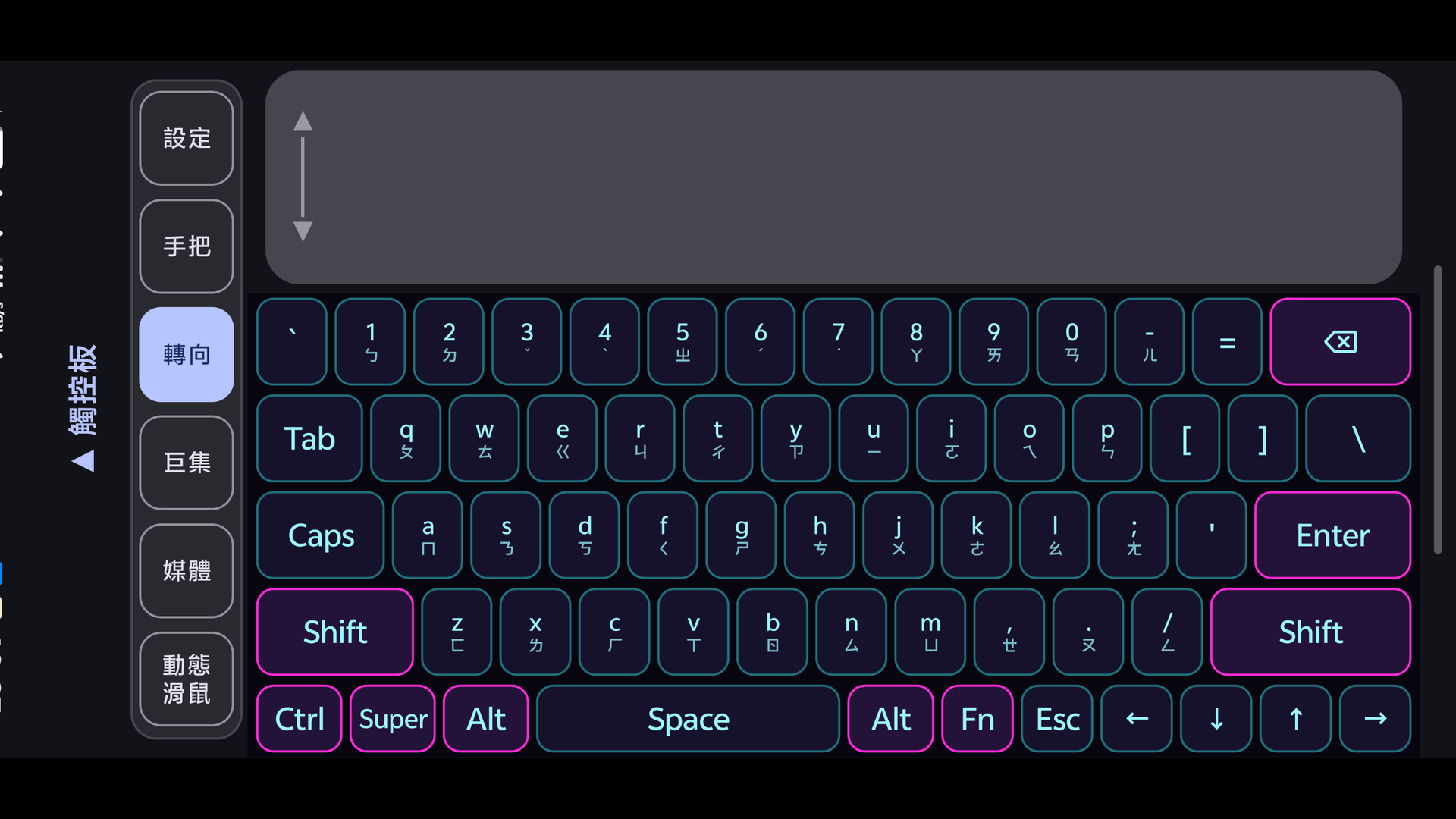
- Virtual keyboard: full landscape layout with an Fn layer and Ctrl/Alt/Super, and Zhuyin/Pinyin printed on the keycaps
- Phone input: type Chinese with your phone's own IME and send the whole line over, instead of fighting the Zhuyin key positions
- Gamepad: standard HID, Xbox layout, and you can edit the layout and the bindings
- Motion mouse: point the phone where you want the cursor, like a laser pointer
- Plus media keys, macros, switching between several hosts, and your own background image
⚠️ Open the app first and wait for it to say it's waiting for the host, then pair. The computer memorises the key mapping at the exact moment you pair — do it the other way round and it memorises the one built into the phone's own system, after which nothing you press does anything. The only fix is removing the device on both sides and pairing again.
⚙️ Android only (Android 9 and up). There's no iPhone or iPad version — iOS won't let an app act as a Bluetooth keyboard or mouse. It won't work as a controller for a PS5, Xbox or Switch either; those only accept officially licensed pads. The interface and the manual come in Traditional Chinese, Simplified Chinese, English, Japanese, Spanish, Portuguese, German and French.
Loading…