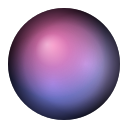
OrbitNote Floating Note
Make desktop note search more convenient
It all started because I just switched to Linux, but there were simply too many commands to memorize. So, I made a demo version for myself. It feels really comfortable to use right now!!
However, since I haven't made a breakthrough with the mouse-click technology for the Windows version yet, I'll just leave it at this for now...
OrbitNote (Floating Ball Notes) is a note-taking ball that floats on your desktop, always on standby.
Click the main ball, and the category sub-balls expand outward like a galaxy. Hover your mouse over them for an instant preview of your sticky notes, and click to start editing. When not in use, it retracts and enables desktop click-through, completely staying out of your way.
You can place multiple main balls to group your notes (Work, Inspiration, To-Do, etc.). Each ball's size, color, orbit distance, and gradient style can be adjusted independently to create your preferred layout. Notes are saved locally and support export/import (JSON or Markdown), keeping your data in your own hands.
Technically, it is built with Python + GTK3 + Cairo graphics, using X11 Input Shape for desktop click-through. Coordinate and animation calculations are handled by a C backend, so it runs very smoothly.
⚙️ System Requirements: Currently only supports Linux (X11 desktops, such as Ubuntu / GNOME). Windows, macOS, and mobile versions are all planned. It is free to use—feel free to try it out and leave your feedback!
Loading…