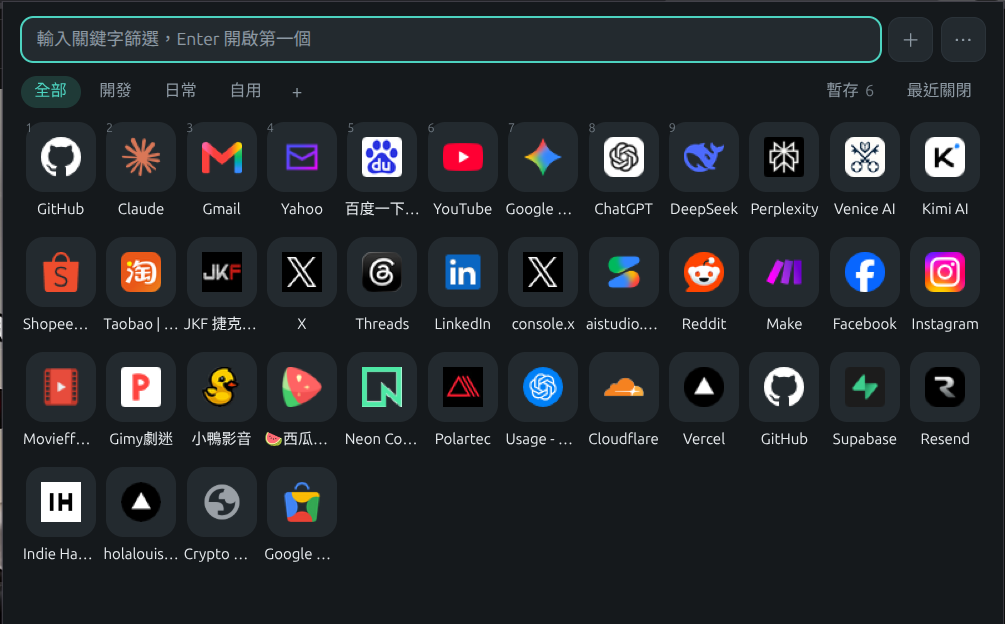
QuickDial Shortcut Panel
One shortcut, and all your go-to sites are laid out for you.
It’s a browser extension that pops up a custom dashboard of your favourite site shortcuts whenever you hit Alt+Shift+S. It doesn’t hijack your new tab page or mess with your homepage; just hit Esc when you’re done and it’s gone.
You can filter your list by typing, hit Enter to open the top result, or use Alt+1 through 9 to jump straight to the first nine. You can organise shortcuts into categories like 'Dev' or 'Daily', drag and drop to reorder them, and the '+' button automatically grabs the title and URL of the page you’re on. You can even import your existing bookmarks in one go.
There are two other handy little features: 'Session' lets you save your current tabs to reopen later, and 'Recently Closed' brings back any tabs or windows you’ve accidentally binned.
Everything is stored in a local `backup.json` file, which updates automatically whenever you make a change. It makes moving to a new computer or browser a doddle, and you can even share the same file across multiple browsers.
⚙️ It works on Brave, Chrome, Edge, and Firefox, with automatic backups for Windows and Linux. The interface is available in eight languages: Traditional and Simplified Chinese, English, Japanese, German, French, Spanish, and Portuguese. Once you’ve downloaded it, just follow the 'Installation Instructions.txt' in the zip file to load it into your browser. It’s free to use and the source code is up on GitHub—feel free to have a play and let me know what you think.
Loading…